If you are running paid ads across Meta, Google, TikTok, LinkedIn, or any combination of platforms, you already know the frustration: every platform tells a different story. Meta claims credit for a conversion Google also counted. Your spreadsheet says one thing, your gut says another, and your boss wants a clear answer on which campaigns are actually working.
The problem is not a lack of data. The problem is disconnected data.
When your ad platforms operate in silos, you cannot see the full customer journey. You miss the touchpoints that influenced a conversion, you double-count results, and you end up making budget decisions based on incomplete information. This is one of the most common and costly challenges in data analytics in marketing today.
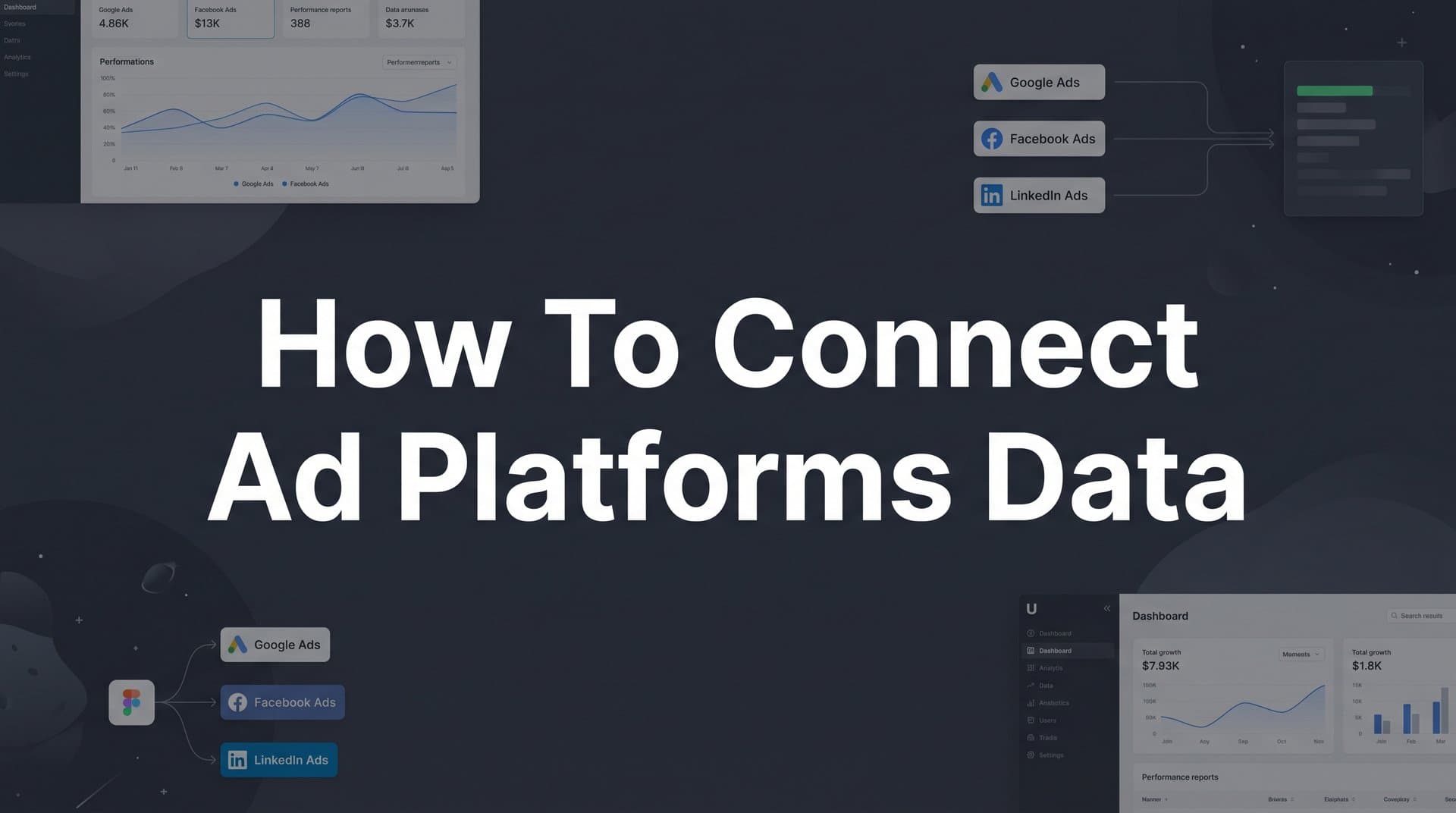
Connecting your ad platforms data into a single, unified view solves all of this. It gives you one source of truth for performance, attribution, and ROI across every channel you run. Instead of reconciling five different dashboards, you see the complete picture in one place.
In this guide, you will learn exactly how to connect your ad platforms data step by step. Whether you are setting this up for the first time or cleaning up a messy tracking environment, this process will help you build a reliable foundation for smarter marketing decisions.
By the end, you will have a connected data ecosystem where every ad click, every conversion, and every revenue event flows into one place so you can see what is driving results and scale with confidence.
Step 1: Audit Your Current Ad Platforms and Data Sources
Before you connect anything, you need to know exactly what you are working with. A thorough audit is the unglamorous but essential first step that prevents you from building a connected data system on a cracked foundation.
Start by listing every active ad platform in your stack. That means Meta Ads, Google Ads, TikTok Ads, LinkedIn Campaign Manager, Pinterest Ads, and any other paid channels you are currently running. Do not forget platforms you might use occasionally or seasonally. If spend is going in, data needs to come out.
For each platform, document what conversion events are currently being tracked and how. Is tracking handled through a browser-based pixel? A tag manager like Google Tag Manager? A manual implementation? Note the specific events being tracked, such as page views, lead form submissions, purchases, or add-to-cart actions.
Next, identify the gaps. Common issues include platforms with no pixel installed at all, pixels that are installed but firing incorrectly, and conversion events that were set up at some point but never validated. These gaps mean you are flying blind on a portion of your ad spend. Understanding what a tracking pixel is and how it works can help you spot these issues faster during your audit.
Beyond the ad platforms themselves, document every other data source that will eventually need to connect into your unified system. This includes your CRM (Salesforce, HubSpot, Pipedrive, or whatever you use), your website platform (Shopify, WordPress, a custom build), and any offline conversion data you collect.
Finally, flag duplicate or conflicting conversion tracking setups before you move forward. A common scenario is having the same purchase event tracked through both a pixel and a manual event, causing the platform to count one conversion twice. Identifying these conflicts now saves you from compounding the problem in later steps.
Success indicator: You have a complete written inventory of every ad platform, its current tracking status, the events being tracked, and the gaps that need to be addressed. This document becomes your roadmap for everything that follows.
Step 2: Define the Conversion Events That Actually Matter
Here is a trap many marketers fall into: they try to track everything. Every button click, every scroll depth, every micro-interaction gets turned into a conversion event. The result is a system full of noise where it becomes nearly impossible to identify the signals that actually connect to revenue.
Before you build out your tracking, get clear on which events genuinely matter. Start by distinguishing between micro-conversions and macro-conversions. Micro-conversions are early-stage actions like clicks, form fills, video views, and add-to-cart events. They indicate interest and intent, but they do not directly equal revenue. Macro-conversions are the events that connect to your business outcomes: purchases, qualified leads, marketing-qualified leads (MQLs), or booked demos.
Map your customer journey stages to specific trackable events. For an e-commerce business, the journey might move from product page view to add-to-cart to checkout initiation to purchase. For a B2B SaaS company, it might move from content download to demo request to opportunity created in the CRM. Each stage should have at least one event that signals meaningful progression.
Prioritize the events that connect to revenue. A good rule of thumb is to focus on three to five events that signal real intent and business impact. Tracking more than that typically creates confusion rather than clarity, especially when you are comparing performance across platforms.
Standardize your event naming conventions across all platforms before you implement anything. If Meta calls your lead event "Lead" but Google calls it "generate_lead" and your CRM calls it "New Contact," reconciling that data later becomes a manual headache. Agree on a consistent naming convention and document it. This is especially important for lead attribution, where the same lead might touch multiple platforms before converting.
Align with your sales or CRM team on what a qualified conversion actually looks like. Marketing teams often optimize toward volume while sales teams care about quality. Getting alignment on the definition of a meaningful conversion ensures you are optimizing your ad spend toward outcomes that actually move the business forward. A solid grasp of how to track marketing campaigns end to end makes this alignment much easier to achieve.
Success indicator: You have a documented event map that lists your three to five priority conversion events, their definitions, and consistent naming conventions that will be applied across every platform in your stack.
Step 3: Implement Server-Side Tracking for Accurate Data Collection
This is the step where most marketers either level up their data quality significantly or continue struggling with unreliable numbers. Browser-based pixel tracking, which has been the standard for years, is no longer sufficient on its own.
Here is why. iOS privacy updates have restricted the ability of third-party pixels to track user behavior across apps and websites. Ad blockers prevent pixels from firing entirely for a meaningful portion of your audience. Browser cookie limitations reduce the window in which attribution can be tied back to an ad click. The cumulative effect is that browser-based tracking alone routinely misses a significant share of actual conversions.
Server-side tracking solves this by sending conversion data directly from your server to the ad platforms, rather than relying on a browser script to fire correctly. Because the data travels server to server, it bypasses browser restrictions entirely. The result is more complete, more accurate conversion data reaching Meta, Google, TikTok, and other platforms. Using the right ad tracking tools at this stage makes a measurable difference in the completeness of your data.
The basic setup involves installing a server-side tag manager or using a platform that handles this natively. You will create server-side endpoints that correspond to each ad platform's API: Meta's Conversions API (CAPI), Google's Enhanced Conversions, and TikTok's Events API are the three most critical to configure. Each platform has its own documentation for connecting these endpoints.
If you are using a tool like Cometly, server-side tracking is built into the platform. Rather than configuring each API connection manually, Cometly handles the server-side data pipeline for you, capturing events from your website and sending them to the appropriate ad platform endpoints with proper formatting and match quality optimization.
After setup, test that events are firing correctly using each platform's diagnostic tools. Meta's Events Manager, Google's Tag Assistant, and TikTok's Events Manager all provide real-time event testing capabilities. Verify that your priority conversion events are registering with accurate data.
Common pitfall: Running both browser-side pixels and server-side tracking simultaneously without deduplication causes inflated conversion counts. When both methods fire for the same event, the platform counts it twice. Deduplication requires passing a consistent event ID through both the browser pixel and the server-side event so the platform can recognize and discard the duplicate. This is a documented requirement in Meta's CAPI setup guide and should be configured before you go live.
Success indicator: Your priority conversion events are firing server-side, event deduplication is configured, and each platform's diagnostic tools show high match quality scores for incoming events.
Step 4: Connect Your Ad Platforms to a Central Attribution System
With accurate tracking in place, the next step is pulling all of your platform data into a single attribution system. This is where the real clarity begins.
Every ad platform uses last-click attribution by default. That means Meta gives full credit to the last Meta ad a user clicked before converting. Google does the same for Google Ads. TikTok does the same for TikTok. When you add up the conversions reported across all your platforms, the total is almost always higher than your actual conversion count. Every platform is overclaiming credit for the same conversions.
A central attribution system solves this by ingesting data from all of your platforms and applying a consistent attribution model across the entire customer journey. Instead of each platform judging its own performance, one system evaluates the contribution of every touchpoint and assigns credit according to a model you choose and control. Exploring the best marketing attribution platforms for revenue tracking can help you identify which solution fits your stack.
To connect your platforms, you have two main options. You can use native integrations if your attribution tool supports them, or you can use a purpose-built attribution platform like Cometly that pulls in spend, impressions, clicks, and conversion data from Meta, Google, TikTok, LinkedIn, and other channels through direct API connections. The key is that data flows in automatically and consistently, not through manual exports or spreadsheet reconciliation.
Do not stop at ad platforms. Connect your CRM so that offline conversions and pipeline data flow into the same system. This is especially important for B2B marketers. When your conversion event is a lead form submission but your revenue event is a closed deal six weeks later, you need CRM data to connect the two. Without it, you are optimizing your ad spend toward lead volume rather than actual revenue.
Once your data sources are connected, choose an attribution model that fits your sales cycle. For a quick e-commerce purchase, last-touch attribution may be perfectly reasonable. For a complex B2B sale with multiple stakeholders and a long evaluation period, a multi-touch model like linear or time-decay gives you a more accurate picture of what is driving pipeline. You can explore the tradeoffs in detail in this breakdown of the 5 most common ad attribution models.
Success indicator: All of your active ad platforms and your CRM are reporting into one dashboard. You can see spend, clicks, conversions, and attributed revenue across every channel in a single view, with one consistent attribution model applied across all of them.
Step 5: Sync Conversion Data Back to Your Ad Platforms
Most marketers think of connecting ad platform data as a one-way street: pull everything into a central system and analyze it there. But the most sophisticated part of this setup runs in the opposite direction.
Connecting your data is not just about pulling it in. It is also about sending enriched signals back out to the platforms so their algorithms can learn and optimize more effectively.
This process is called conversion sync, and it works like this. After your attribution system captures and processes your conversion events, it sends those events back to Meta, Google, TikTok, and other platforms via their respective APIs. These are not raw pixel events. They are enriched with customer data like hashed email addresses and phone numbers that help the platform match the conversion to the right user with higher confidence.
Why does this matter? Ad platform algorithms are constantly learning which users are most likely to convert. The quality of that learning depends entirely on the quality of the conversion signals they receive. When you send back enriched, high-match-quality conversion events, the algorithm gets smarter faster. It improves audience targeting, bid optimization, and overall ad ROI because it is learning from better data.
Understanding Facebook Event Match Quality is a useful starting point for grasping why signal quality has such a direct impact on campaign performance. The same principle applies across Google's Enhanced Conversions and TikTok's Events API.
If you are using Cometly, the Conversion Sync feature handles this automatically. It takes the conversion data flowing through your attribution system and sends it back to each connected ad platform in the correct format, with proper customer match data included. If you are configuring this manually, each platform has its own offline conversion import process that you will need to set up and maintain separately. Reviewing the top conversion tracking platforms available can help you evaluate which approach best fits your technical setup.
Include customer match data wherever possible. Hashed email addresses and phone numbers significantly improve the platform's ability to match a conversion event to the correct user, which raises your event match quality score and amplifies the optimization benefit.
Common pitfall: Sending duplicate events or events with mismatched timestamps degrades signal quality rather than improving it. Ensure your conversion sync setup includes deduplication logic and that event timestamps reflect the actual time of the conversion, not the time of the sync.
Success indicator: Event match quality scores in Meta Events Manager and equivalent tools in Google and TikTok show improvement after conversion sync is active, and platform algorithms begin optimizing toward higher-value conversion events.
Step 6: Validate Your Data and Establish a Reporting Baseline
You have done the hard work. Now you need to confirm it is actually working and set yourself up to measure the impact going forward.
Start by cross-checking conversion counts between your attribution system and each individual ad platform. You are looking for discrepancies that exceed what you would expect from normal attribution window differences. Some variance is expected and normal. Meta might report slightly more conversions than your attribution system because of view-through attribution windows. Google might show different numbers depending on the model it is using. These differences are explainable.
Large discrepancies, on the other hand, signal a tracking problem. If your attribution system is showing half the conversions that Meta reports, either your server-side tracking is not capturing all events, your deduplication is not working correctly, or there is a mismatch in how events are being matched to ad interactions. Knowing how to fix attribution discrepancies in data will help you diagnose and resolve these issues systematically before they compound. Investigate and resolve these before moving on.
Once your numbers are reasonably aligned, set up a baseline report that captures weekly spend, conversions, cost per acquisition (CPA), and return on ad spend (ROAS) across all platforms in a single view. This baseline is your reference point. Every future campaign change, budget shift, or creative test gets measured against it.
Building strong marketing analytics techniques into your reporting process from the start makes it much easier to catch tracking issues early and measure the real impact of your optimization work over time.
Establish a regular data audit cadence. A weekly check that takes fifteen minutes to review event volumes and match quality scores can catch a broken pixel or a dropped API connection before it corrupts weeks of data. Tracking issues that go undetected for months are far more damaging than ones caught in the first week.
Document your acceptable variance thresholds so your team knows when a discrepancy is normal and when it requires investigation. This removes ambiguity and makes your data quality process scalable as your team grows.
Success indicator: Your attribution dashboard and individual ad platform dashboards are within an acceptable variance range. You have a single source of truth for performance, a documented baseline report, and a regular audit process in place to keep data quality high over time.
Putting It All Together: Your Connected Ad Data Ecosystem
Here is a quick-reference recap of the six steps you have just worked through:
1. Audit your platforms and data sources so you know exactly what you are working with and where the gaps are.
2. Define the conversion events that matter by focusing on three to five high-intent events tied to revenue and standardizing naming across every platform.
3. Implement server-side tracking to capture accurate conversion data that bypasses browser restrictions and iOS privacy limitations.
4. Connect your platforms to a central attribution system so all spend, conversion, and revenue data flows into one place with a consistent attribution model applied across the entire customer journey.
5. Sync conversion data back to your ad platforms to feed enriched signals to Meta, Google, and TikTok so their algorithms can optimize toward higher-quality outcomes.
6. Validate your data and establish a reporting baseline so you have a reliable foundation for measuring performance and catching tracking issues early.
The outcome of completing these six steps is not just a cleaner dashboard. It is a fundamentally more accurate picture of what is driving your results, which means better budget decisions, smarter scaling, and less money wasted on campaigns that look good in one platform's reporting but do not actually convert.
Cometly is built to handle steps three through six in a single platform. Server-side tracking, multi-touch attribution across all your ad channels, CRM integration, and conversion sync back to Meta, Google, TikTok, and more are all connected in one place. You can explore 20 ways marketing attribution software can help improve your digital marketing efforts to see the full picture of what a connected attribution setup makes possible.
The goal was never more data. It was always better-connected data that drives confident decisions. Get your free demo and start building the unified attribution system your ad spend deserves.